
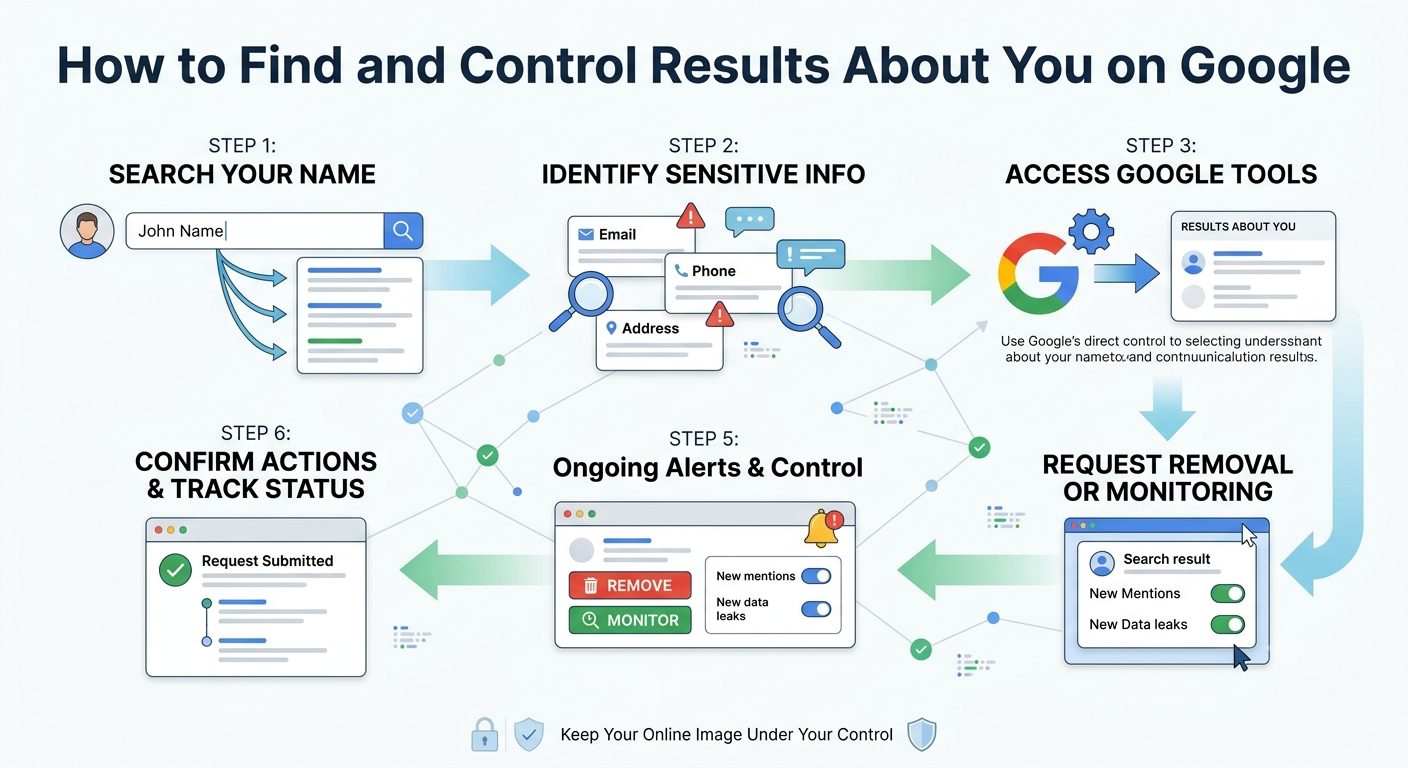
Results About You
Search for your own name and you might be surprised by what turns up. Old addresses, phone numbers, outdated job details, or even content mixed up with someone who shares your name can all appear on the first page. Google’s “results about you” tool was built to help people track and manage exactly this kind of exposure.
Understanding how this tool works, and how it fits into a broader approach to managing your digital footprint, can make a real difference if you are concerned about privacy, safety, or how you appear professionally online.
What the Results About You Tool Actually Does
Google’s results about you feature lets you monitor search results that include your personal information, such as your name, phone number, home address, or email. It sends alerts when new matching content appears and gives you a direct path to request removal of certain results from Google Search.
This is different from removing content from the source website itself. The tool controls what shows up in Google’s search results, not the underlying page. In many cases, the original content stays online even after it disappears from search.
Why This Tool Matters?
Personal exposure online carries real risks. Old addresses can enable stalking or harassment. Outdated contact details can be used for scams or impersonation. For professionals, irrelevant or embarrassing search results can influence how clients, employers, or partners perceive them before a conversation even starts.
Having a way to actively monitor and request removal of sensitive personal results gives people a practical layer of control that did not exist in search a few years ago.
What You Can Request Removal Of?
Google generally considers removal requests for search results containing:
- Home addresses and phone numbers
- Personal email addresses
- Confidential login credentials
- Bank account or financial identification numbers
- Images of government identification documents
- Non-consensual explicit imagery
Content that is considered broadly newsworthy, official public record, or already widely published elsewhere is less likely to qualify for removal, even if it is personally uncomfortable.
How to Set It Up
- Search Your Own Name First: Before setting up alerts, run a manual search of your name in different formats, including nicknames and past names, to understand what is currently visible.
- Enable Monitoring: Within your Google Account settings, the results about you tool allows you to add your details and receive notifications whenever new matching search results appear.
- Submit Removal Requests: When a qualifying result appears, you can submit a removal request directly through the tool. Google reviews each request individually rather than approving them automatically.
- Reassess Periodically: New content appears online constantly, so checking in every few months helps you catch anything before it gains visibility or ranking momentum.
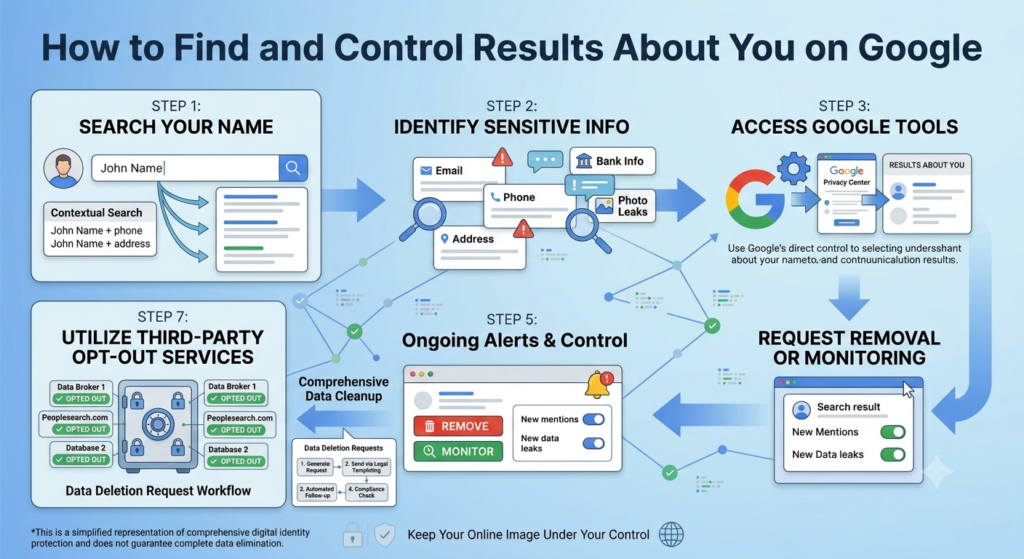
Results about you
Where Professional Support Helps
This tool covers a narrow set of personal data categories. It will not remove negative reviews, unflattering news coverage, or general reputational content, since those fall outside its scope. For broader concerns, such as an outdated news story or a coordinated negative campaign, a wider reputation management strategy combining content creation, monitoring, and professional outreach tends to be more effective.
If a removal request involves defamation, harassment, or a legal dispute, speaking with a qualified solicitor is the safer next step rather than relying solely on a self-service tool.
Frequently Asked Questions
Does removing a result from Google delete the original page?
No. The removal only affects what appears in Google Search results. The content usually remains live on the original website unless you contact that site directly.
How long does a removal request take?
It varies, but most decisions are made within a few days to a couple of weeks, depending on the volume of requests and how clearly the content matches Google’s removal criteria.
Can I use this tool for negative reviews about my business?
No. The results about you tool is designed for personal contact information and sensitive identifiers, not general reputation issues like reviews or news articles.
What happens if my removal request is denied?
You can review Google’s stated reason and consider whether a different approach applies, such as contacting the website directly or exploring legal options for defamatory content.
Is this tool available in every country?
Availability has expanded over time but may vary by region, so it is worth checking your Google Account settings directly to confirm current access in your location.